Start Designing
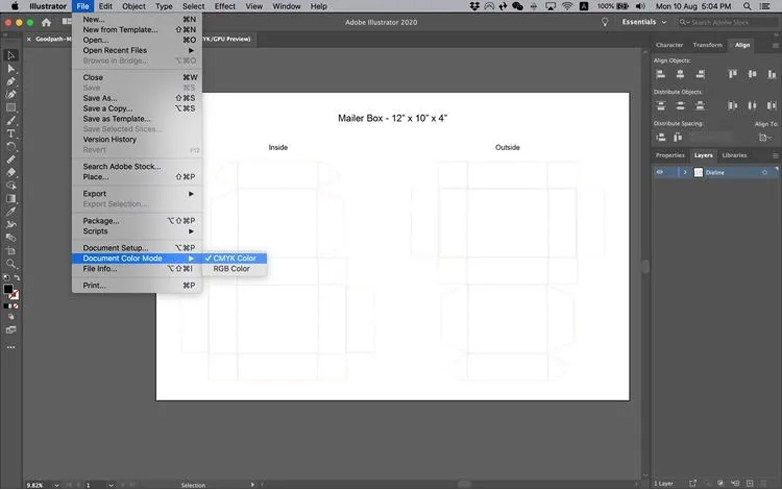
After adding the document, the next step is to start designing.
Note: As you begin designing, you may refer to the Mailer Box Orientation Guide as a guideline.
Mailer Box Orientation Guide is a diagram or template that shows how to position printed designs on a mailer box correctly. This will provide you with a complete visual roadmap to arrange graphics, text, and other visual elements on the box surface properly and accurately to avoid errors in manufacturing and printing the mailer box.
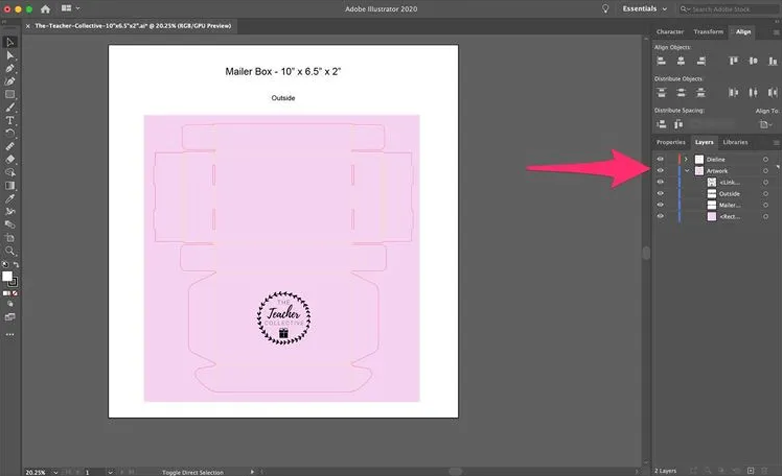
For convenience, we provide you with the accurately designed Mailer Box Orientation Guide. After attaining the file, you will need to open it. Once you open it, 2 layers appear in front of you; one is Dieline, and the other is Artwork.
Dieline: The “Dieline” layer includes cut lines, fold lines, and bleed lines that will provide a complete blueprint for where the box will be cut or folded.
Artwork: The "Artwork" layer holds the actual design you want to print on the box.
Keeping the layers separate helps you to know what design to print and where to cut the box. Moreover, keeping the artwork underneath the dieline is the best practice here. By doing this, you can see the dieline that helps to create accurate and precise mailer box dimensions and designs.